
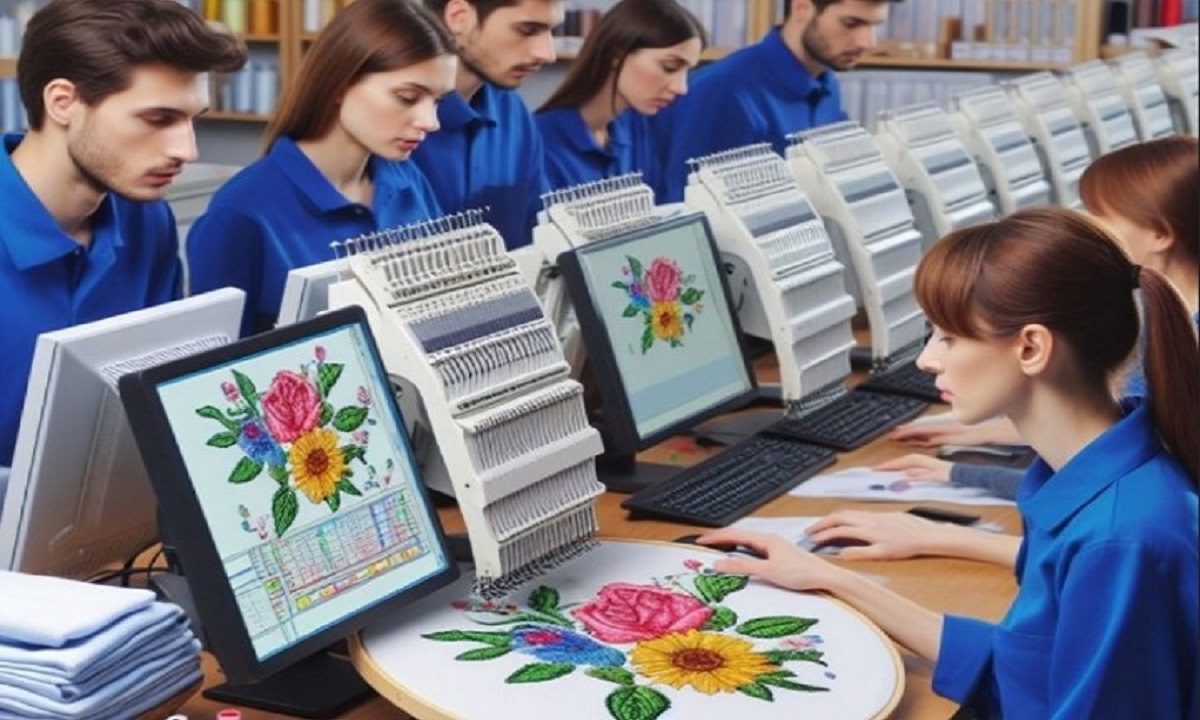
Embroidery is a great way to turn art into fabric design. Many people want to take a picture and stitch it on shirts, hats, or bags. It can be a logo, a name, or a fun image. But an embroidery machine cannot read a normal picture file. The image must be prepared in a special way before the machine can stitch it.Many beginners search for ways to Convert Image to Embroidery File Free because they want a quick and easy way to turn pictures into stitch designs.
While some tools can help, it is still important to understand the process behind embroidery file creation.This guide explains the full process in simple steps. You will learn how pictures become embroidery files and how to prepare artwork the right way. The tips here come from real embroidery work and help beginners avoid common mistakes.
What Is an Embroidery File?
An embroidery file is not the same as a picture. A normal image only shows colors and shapes. But an embroidery file tells the machine how to stitch.
It contains stitch data such as:
- Stitch type
- Stitch path
- Thread color order
- Stitch density
- Needle movement
The embroidery machine reads this information and follows the instructions to stitch the design.
Without this stitch data, the machine cannot create embroidery.
Why Pictures Must Be Prepared for Embroidery
A picture file like JPG or PNG is only made for viewing. It has no stitch instructions.
Embroidery machines need stitch files such as:
- PES
- DST
- JEF
- EXP
These formats guide the machine step by step.
Difference Between an Image and an Embroidery File
Here is the main difference:
Image File
- Made of pixels
- Used for screens or printing
Embroidery File
- Made of stitch instructions
- Used by embroidery machines
Because of this difference, the image must go through a process called digitizing.
What Is Embroidery Digitizing?
Digitizing is the process of turning artwork into stitch instructions.
A digitizer uses special software to create stitches based on the design.
The software helps control many factors such as:
- Stitch direction
- Stitch type
- Stitch density
- Design size
This process ensures the design stitches smoothly on fabric.
Types of Stitches Used in Embroidery
Understanding stitch types helps explain how images become embroidery designs.
Satin Stitch
Satin stitch is used for letters and borders. It creates smooth and shiny lines.
Fill Stitch
Fill stitch covers large areas of a design. It creates patterns inside shapes.
Running Stitch
Running stitch is used for outlines or fine details.
Each stitch type serves a different purpose in embroidery.
Preparing Your Picture Before Digitizing
Before converting a picture into an embroidery file, the image should be clean and simple.
A well-prepared image makes digitizing much easier.
Choose a Clear Image
The best images have strong shapes and clear edges.
Logos and bold graphics usually work very well.
Avoid Very Small Details
Tiny details can be difficult for embroidery machines to stitch.
It is best to remove small elements from the design.
Limit the Number of Colors
Too many colors can make embroidery complicated.
Simple designs with fewer colors often produce better results.
Steps to Turn a Picture into an Embroidery Design
Now let us look at the main steps used to create embroidery files from pictures.
Step 1: Import the Image into Digitizing Software
Open your digitizing software and load the image.
This allows the software to display the artwork.
Step 2: Trace the Design
Next, the digitizer traces the shapes in the image.
This step converts shapes into stitch paths.
Step 3: Choose Stitch Types
Each part of the design must use the correct stitch type.
For example:
- Letters use satin stitch
- Large shapes use fill stitch
- Lines use running stitch
Choosing the right stitch helps produce clean embroidery.
Step 4: Set Stitch Direction
Stitch direction affects the look of the design.
Changing stitch angles can improve texture and depth.
Step 5: Adjust Stitch Density
Density controls how close the stitches are placed.
If stitches are too close, the fabric may wrinkle.
If stitches are too far apart, the fabric may show through.
Balanced density is very important.
Step 6: Set Thread Colors
The digitizer assigns thread colors to each part of the design.
This tells the machine when to change threads.
Step 7: Save the Embroidery File
Once the design is complete, it is saved in the machine format.
For example:
- PES for Brother machines
- DST for commercial machines
Now the file is ready for stitching.
Best Software for Creating Embroidery Files
Many software programs help turn pictures into embroidery designs.
Some are beginner-friendly, while others are used by professionals.
Popular Digitizing Software
Some commonly used programs include:
- Wilcom Embroidery Studio
- Hatch Embroidery
- Embrilliance
- Ink/Stitch
These programs help users control stitches and preview designs.
Common Mistakes Beginners Make
Many beginners face problems when converting pictures into embroidery designs.
Knowing these mistakes can help avoid frustration.
Using Complex Images
Highly detailed pictures may not stitch well.
It is better to start with simple designs.
Ignoring Stitch Density
Incorrect density can damage the fabric or cause poor results.
Skipping Test Stitching
Always run a test stitch before production.
This helps confirm the design quality.
Tips from Real Embroidery Experience
Years of embroidery work reveal many helpful lessons.
These tips can improve your results.
Start with Simple Designs
Simple shapes are easier to digitize and stitch.
As skills improve, you can work on more complex designs.
Use High-Quality Thread
Good thread reduces breakage and improves stitch quality.
Choose the Right Fabric
Some fabrics work better with embroidery.
Examples include:
- Cotton
- Denim
- Twill
Very thin or stretchy fabrics may cause problems.
Why Test Stitching Is Important
Test stitching is a very important step.
Even a well-digitized design may behave differently on fabric.
Test stitching helps check:
- Stitch alignment
- Thread tension
- Fabric stability
This step prevents costly mistakes during production.
How Professionals Achieve Better Results
Professional digitizers understand fabric behavior and machine settings.
They carefully adjust stitch settings to match the material.
Factors Experts Consider
Experts pay attention to:
- Fabric type
- Thread thickness
- Stitch angles
- Machine speed
These adjustments help produce smooth embroidery results.
Maintaining Your Embroidery Machine
Even the best design needs a well-maintained machine.
Proper care improves stitching quality.
Basic Maintenance Tips
Follow these simple steps:
- Clean lint from the bobbin area
- Oil the machine when needed
- Replace dull needles
- Use strong thread
These small habits help your machine perform better.
Practice Helps Improve Digitizing Skills
Digitizing is both an art and a technical skill.
Like any skill, it improves with practice.
Practice Projects
Beginner projects may include:
- Simple logos
- Initial letters
- Small shapes
These designs help build confidence and skill.
Benefits of Learning Embroidery Digitizing
Learning how to prepare images for embroidery offers many benefits.
It gives you more control over your designs.
You can:
- Create custom embroidery
- Save money on design services
- Experiment with creative ideas
- Build embroidery skills
With practice, digitizing becomes easier and more enjoyable.
Final Thoughts
Turning pictures into embroidery designs is an exciting part of machine embroidery. While the process may seem complex at first, understanding the basics makes it much easier.
By preparing images carefully, choosing the right stitches, and testing designs before production, you can create clean and professional embroidery results.
Embroidery digitizing takes patience and practice. But once you learn the process, you gain the ability to turn almost any design into a stitched artwork.
With time and experience, your skills will grow. Soon you will be able to create embroidery designs that look sharp, professional, and ready for any project.