
Running a window cleaning business involves a lot of moving parts. You have crews on the road, clients calling for quotes, and invoices that need to be sent. If you are still relying on whiteboards, sticky notes, or basic spreadsheets to manage your day, you are likely losing time and money. Efficiency is the backbone of a profitable service business. To scale your operations and keep your sanity, you need the right digital tools.
Adopting specialized technology transforms how you operate. It moves you from reacting to chaos to proactively managing growth. This guide explores how window cleaning scheduling software can streamline your operations, improve customer satisfaction, and boost your bottom line. We will cover everything from essential features to how you can choose the right platform for your specific needs.
What is Window Cleaning Scheduling Software?
At its core, window cleaning scheduling software is a specialized field service management tool designed to handle the unique logistics of the cleaning industry. Unlike a generic calendar app, this technology integrates every aspect of your business into one central hub. It connects your back office with your field technicians, ensuring everyone is on the same page.
The primary purpose of this software is to automate the manual tasks that eat up your day. Instead of spending hours playing phone tag to schedule appointments or manually typing out invoices, the system handles these processes for you. It serves as a comprehensive command center for job tracking, dispatching, customer relationship management (CRM), and financial tracking.
Whether you run a solo residential operation or a large commercial enterprise servicing high-rise buildings, this technology provides the structure needed to scale. It allows you to track crew locations via GPS, manage recurring maintenance contracts, and offer customers a seamless booking experience. By digitizing your workflow, you eliminate the risk of lost paperwork and double-booked appointments, creating a more professional image for your brand.
Key Features of Window Cleaning Scheduling and Management Tools
When evaluating potential solutions for your business, you need to know which features will deliver the biggest return on investment. The best platforms offer a suite of tools designed to handle the specific challenges of window cleaning, from managing gate codes to optimizing travel routes.
Drag-and-Drop Scheduling and Dispatching
The heart of any service software is the calendar. A visual, drag-and-drop calendar allows you to see your entire team’s schedule at a glance. You can easily assign unassigned jobs to available technicians or move appointments around to accommodate emergency requests. If a cleaner calls in sick, you can reassign their entire day’s workload to another crew member in seconds. This flexibility ensures that your dispatching process is fluid and responsive, minimizing downtime and maximizing the number of jobs completed per day.
Intelligent Route Optimization and GPS Tracking
Fuel and travel time are two of your biggest expenses. Route optimization features analyze the locations of your daily jobs and automatically calculate the most efficient driving path. This ensures your technicians spend more time cleaning windows and less time sitting in traffic. Paired with GPS tracking, you can monitor your fleet in real-time. You will know exactly when a crew arrives at a site and when they leave, which improves accountability and helps with accurate payroll.
Automated Notifications and Client Communication
No-shows and lockouts are frustrating and costly. Automated notifications solve this by keeping your clients informed without you having to lift a finger. The system can send confirmation emails immediately after booking, followed by SMS reminders 24 or 48 hours before the service. You can even set up “on my way” texts that let the homeowner know exactly when to expect the crew. This level of communication drastically reduces wasted trips and builds trust with your customer base.
Automated Invoicing and Payment Processing
Chasing payments is often the least favorite part of running a business. Integrated financial tools allow you to convert a job into an invoice with a single click as soon as the work is marked complete. You can email these invoices directly to the client, complete with a link to pay online via credit card. Many platforms also support batch invoicing for commercial clients and can automatically follow up on overdue payments. This accelerates your cash flow and reduces the administrative burden of accounts receivable.
Customer Relationship Management (CRM)
Your customer list is your most valuable asset. A built-in CRM stores every detail about your clients in one secure place. Beyond just names and addresses, you can track service history, gate codes, window counts, and specific preferences (like “don’t let the cat out”). Access to this data empowers your technicians to deliver personalized service every time. It also makes marketing easier, as you can filter your database to send re-booking reminders to clients who haven’t had their windows cleaned in six months.
Comprehensive Reporting and Business Analytics
To grow, you need to know your numbers. Reporting dashboards provide a clear view of your business health. You can track key performance indicators (KPIs) such as revenue per job, technician productivity, and lead conversion rates. Analyzing this data helps you identify which services are most profitable and where you might be bleeding money. It moves your decision-making process from guesswork to a data-driven strategy.
Benefits of Using Window Cleaning Software
Implementing a robust management system does more than just organize your calendar; it fundamentally changes the trajectory of your business. Here are the primary benefits owners experience after making the switch.
Increased Operational Efficiency
The most immediate impact is the reclamation of your time. Workflow automation handles repetitive administrative tasks that used to take hours. Estimates can be generated and sent from a mobile device in the field, rather than waiting until you get back to the office. This speed allows you to close more leads and keeps your pipeline moving. When your office tasks are streamlined, you can focus on high-value activities like business development and staff training.
Enhanced Customer Experience and Retention
In the service industry, the customer experience is just as important as the quality of the cleaning. Modern software allows you to offer the convenience that clients expect from large companies. Features like online booking portals allow customers to request services 24/7, without playing phone tag. Professional-looking quotes and invoices reinforce your brand’s credibility. When communication is clear, timely, and convenient, customer satisfaction soars, leading to higher retention rates and more referrals.
Scalability for Growing Window Cleaning Businesses
Managing three vans is exponentially harder than managing one, unless you have the right systems in place. Digital tools provide the framework for scalability. As you hire more staff and acquire more trucks, the software scales with you. It standardizes your processes, ensuring that every technician follows the same workflow. This consistency is crucial for maintaining quality control as you grow. You can add new users and expand your service area without the operational structure collapsing under the weight of increased volume.
Significant Cost Savings
While software comes with a monthly subscription cost, it often pays for itself through cost savings. Route optimization reduces fuel consumption and vehicle wear and tear. preventing missed appointments saves revenue that would otherwise be lost. Furthermore, better inventory management and accurate job tracking prevent the leakage of supplies and billable hours. By optimizing your resources, you ensure that every dollar spent contributes to profitability.
How to Choose the Best Window Cleaning Software
With several options on the market, selecting the right platform can be overwhelming. Here is a structured approach to finding the best fit for your window cleaning company.
Assess Your Specific Business Needs
Start by identifying your non-negotiables. Do you primarily do residential work requiring high-volume scheduling, or commercial contracts with complex invoicing requirements? If you handle post-construction cleaning, you might need robust job costing features. Make a list of the pain points you are trying to solve—whether it’s dispatching confusion, late payments, or poor customer communication—and prioritize software that addresses those specific issues.
Evaluate User-Friendliness and Mobile Functionality
Your technicians will be using this software every day, often from a smartphone or tablet. The mobile app must be intuitive and reliable. If it is too difficult to use, your staff won’t adopt it, and your data will be inaccurate. Look for a clean interface that makes it easy to clock in, view job details, and upload photos from the job site. Most providers offer free trials; use this time to have your field team test the mobile app.
Check for Essential Integration Options
Your scheduling tool should not exist in a silo. It needs to “talk” to the other programs you use. Seamless integration with accounting software like QuickBooks or Xero is critical for eliminating double data entry. Just as we discussed in our breakdown of pest control bookkeeping, having your field software and accounting tools synced is the only way to ensure accurate, real-time financial reporting.
.Consider Pricing Models and Future Scalability
Pricing structures vary significantly between providers. Some charge a flat monthly fee, while others charge per user or per truck. Calculate the total cost based on your current team size and your projected growth over the next year. Be wary of hidden costs for add-on features like SMS messaging or premium support. Choose a plan that offers good value now but also has higher-tier options you can upgrade to as your business expands.
Top Window Cleaning Management Software Options
Several industry-leading tools have established themselves as favorites among window cleaners.
Jobber is widely recognized for its user-friendly interface and robust client hub. It excels in customer communication and offers excellent quoting features that allow clients to approve estimates online.
Squeegee is built specifically for window cleaners. It offers unique features tailored to route-based work, making it a strong contender for businesses with high-frequency recurring residential jobs. Its density routing is particularly powerful for optimizing canvassing efforts.
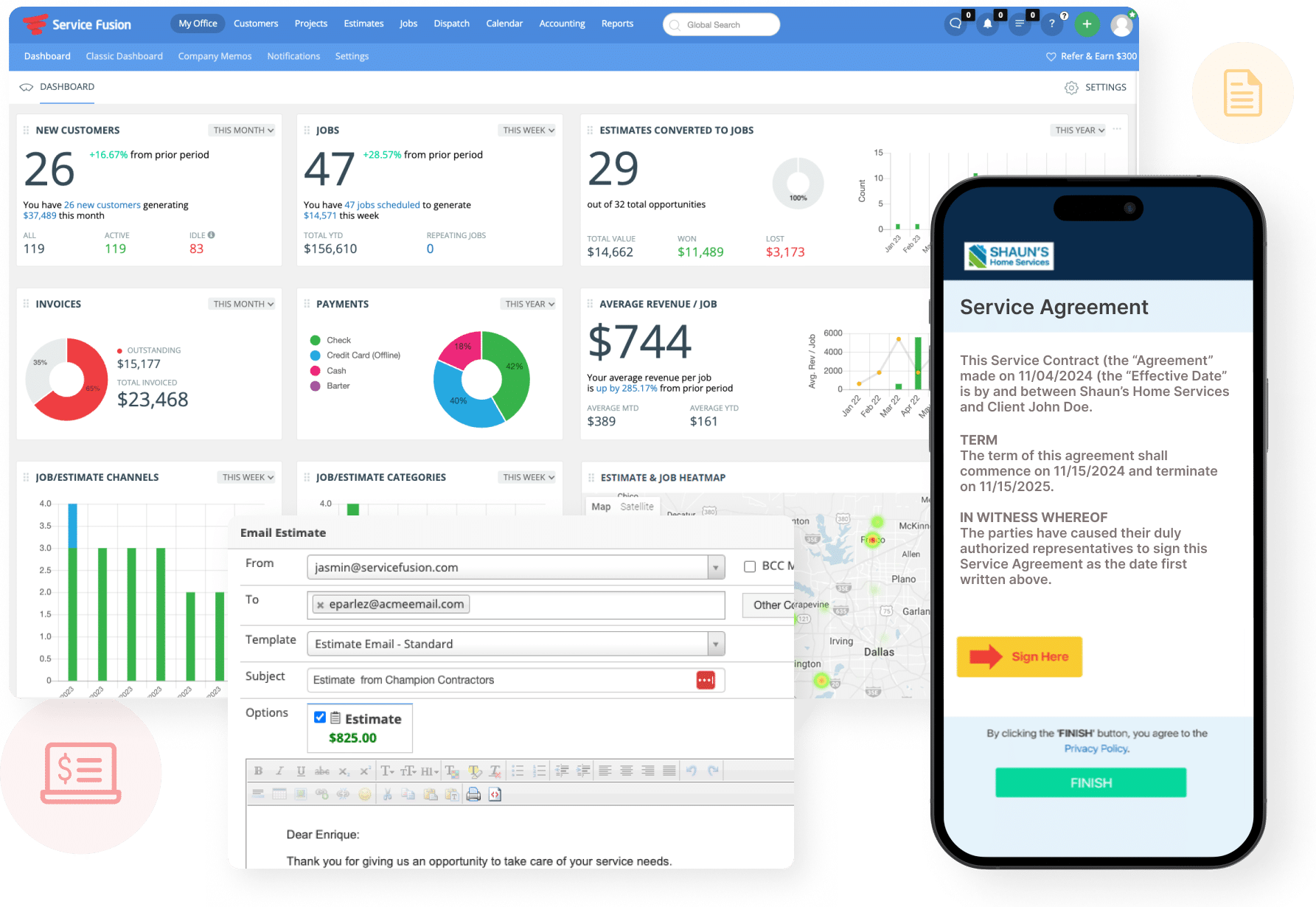
Service Fusion offers enterprise-level features at a small business price point. It is a great option if you need advanced inventory management and detailed job costing. It also provides strong VoIP integration for managing customer calls.
DoTimely is often praised for its simplicity and affordability, making it a solid entry-level choice for smaller teams or solo operators who need basic scheduling and invoicing without a steep learning curve.
OctopusPro stands out for its versatility, handling everything from residential cleaning to high-rise and commercial contracts. It offers strong features for managing large property portfolios and subcontractors.
FAQs About Window Cleaning Scheduling Tools
- What exactly does window cleaning software do?
It digitalizes your business operations. It combines scheduling, dispatching, invoicing, customer management, and reporting into one platform. It replaces paper diaries and spreadsheets, helping you manage jobs, track crews, and get paid faster. - How does software improve scheduling efficiency?
It uses drag-and-drop calendars to make assigning jobs fast and visual. It also prevents errors like double-booking. Advanced tools include route optimization, which automatically arranges job orders to minimize driving time, allowing crews to fit more jobs into a single day. - Can these tools handle recurring appointments?
Yes. This is a standard feature. You can set up jobs to repeat weekly, biweekly, monthly, or on custom schedules (e.g., “every 6 weeks”). The system will automatically populate these jobs on the calendar into the future, ensuring you never miss a recurring service. - Is this software suitable for small businesses or solo operators?
Absolutely. Many platforms offer “starter” or “grow” plans specifically designed for one-person operations or small teams. Using software from the start helps you establish professional habits and makes it much easier to hire your first employee when you are ready to expand. - What integrations should I look for?
The most important integration is usually with accounting software like QuickBooks Online or Xero to streamline your bookkeeping. Payment gateway integrations (Stripe, Square) are also vital for accepting credit cards. Some businesses also benefit from integrations with marketing tools like Mailchimp or NiceJob for reputation management.
Conclusion
Transitioning to a digital management system is one of the smartest investments you can make for your service business. By automating the tedious aspects of scheduling and administration, you free yourself to focus on quality work and strategic growth. Whether you need to optimize routes, improve cash flow through automated invoicing, or simply stop playing phone tag with clients, the right tools are available to help you succeed. Adopting window cleaning scheduling software is the key to turning a chaotic operation into a streamlined, profitable, and scalable enterprise.